Imprivata ID
Imprivata, IncMedical
3.0234.00 Reviews
- Version
- 2026.1.1.144
- Installs
- 500.00K
- Age Rating
- Everyone
Screenshots
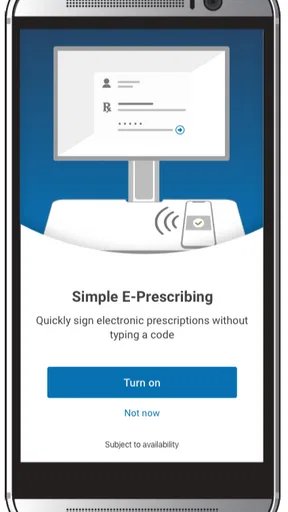
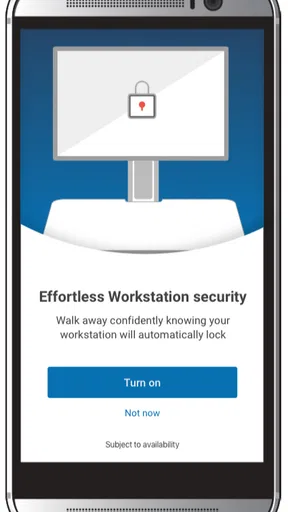
Our Review of Imprivata ID
 Analysis by Appyee
Imprivata ID is a medical authentication app from Imprivata, Inc., built for people who need a safer way to confirm their identity while working through clinical systems. I see it as a specialist tool rather than a general-purpose security app. Its value appears when a doctor, nurse, technician, or other medical professional needs to move between protected services without turning every sign-in into a long interruption.
The app is free to install, carries an Everyone age rating, and supports Android devices running version 6.0 or later. That broad technical reach is useful for healthcare organizations with a mixed fleet of phones, although the real question is not simply whether a phone can run it. Your hospital, clinic, or employer must also use an authentication setup that works with Imprivata ID. Without that organizational connection, installing it alone will not turn it into a universal login tool.
I would recommend looking at this app through the lens of workflow. It is not designed to entertain, organize personal appointments, or replace a patient-facing medical service. It is meant to reduce friction around secure access in a clinical environment. That narrow purpose is also its main strength: when it fits your workplace, it can be much more relevant than a standard authenticator. When it does not, there is very little reason for an ordinary phone user to keep it installed.
How Imprivata ID fits into a clinical workday
In a busy healthcare setting, authentication is not a one-time inconvenience. Staff may need to access records, medication information, scheduling tools, diagnostic systems, or other protected resources while moving between rooms and responsibilities. A security step that is reasonable at a desk can feel much more disruptive when someone is responding to a patient or sharing a workstation.
Imprivata ID is positioned around that problem. Its purpose is to help confirm a professional’s identity securely while supporting a smoother clinical workflow. I would not describe it as a replacement for every password or every security control. Instead, it belongs in the layer between the user and the organization’s protected systems, where a quick, trusted authentication action can save repeated manual effort.
A realistic example would be a nurse moving from one patient area to another during a shift. If the workplace has connected its clinical systems to Imprivata’s authentication environment, the nurse may use the app as part of the sign-in process rather than repeatedly typing credentials into each service. The benefit is not just speed. Fewer hurried password entries can also mean fewer mistakes, fewer abandoned sign-ins, and less temptation to use insecure shortcuts.
That scenario depends heavily on deployment. The app is not a magic pass that opens medical systems by itself. Your organization has to configure the relevant services, define how staff authenticate, and support the process. This is the first practical question I would ask an employer or IT department before downloading it: is Imprivata ID part of our approved sign-in workflow? If the answer is no, the app will probably have no meaningful role in your day-to-day work.
What the current app tells me about its audience
The medical category is important here because it sets expectations. This is not a health tracker, symptom checker, telemedicine client, or medication reminder. It does not exist to provide medical advice. Its audience is primarily professionals working inside organizations that need controlled access to clinical technology.
The app has passed the half-million-install mark and holds an average rating of 3.0 from roughly 500 ratings. Those figures suggest a product with a real workplace audience, but they also tell me not to treat the experience as universally smooth. Authentication apps often receive sharply different reactions depending on the organization’s setup, device policies, network conditions, and support quality. A person rating the app may be reacting partly to the surrounding enterprise workflow rather than to the phone interface alone.
That distinction matters when interpreting the rating. A low or middling score does not automatically mean the app is unsafe or unusable, just as a high score would not guarantee that it works with your hospital’s systems. For this kind of software, compatibility and implementation are more decisive than popularity.
What has changed over time
Imprivata ID was released on May 27, 2016, so it has been around long enough to become part of established authentication environments rather than appearing as a brand-new experiment. The current version is 2026.1.1.144. I see that version progression as evidence of continued maintenance and product evolution, but I would be careful about reading more into it than that. A version number alone does not prove a particular feature, performance improvement, or policy change.
For an existing user, the important point is that the app is still being carried forward instead of being left as an abandoned legacy installation. In a healthcare context, ongoing maintenance can matter because mobile operating systems, security expectations, and enterprise identity systems change over time. An app that remains current has a better chance of fitting into those changes than one frozen in its original release era.
At the same time, I would not install a new update during a critical shift without checking the organization’s guidance. Enterprise authentication is connected to more than the app itself. A workplace may have a preferred update window, device-management rule, or support procedure. The safest habit is to keep the app aligned with the employer’s instructions and to know how to reach local IT support before changing anything on a work phone.
For people already using an older release, the practical benefit of staying updated is likely compatibility and security maintenance rather than a dramatic change in how the app feels. I would expect the basic authentication role to remain familiar, but I would not promise that every older device or organizational configuration will behave identically after an update. Testing access before an important shift is a sensible precaution.
Where it can improve the experience
The strongest advantage is reduced interruption. A clinical professional should not have to spend unnecessary time fighting a login screen when attention belongs with a patient. A dedicated authentication app can make the security step more deliberate and consistent than reusing passwords across systems or relying on informal workarounds.
There is also an operational advantage for organizations. If authentication is handled through a defined application rather than scattered across personal habits, the institution has a clearer framework for managing access. I am not treating that as a guarantee of perfect security; good results still depend on configuration, staff training, device protection, and timely account management. But a structured authentication tool is generally more appropriate for clinical work than asking employees to improvise.
Another useful insight is that convenience and security are not always opposites here. In a rushed environment, a process that is too slow can encourage unsafe behavior, such as leaving a session open or writing down credentials. Making the approved route easier can support better habits. The trade-off is that the app must remain dependable. If it repeatedly fails at the moment access is needed, convenience disappears and frustration takes over.
Small workflow habits that make a difference
I would begin by setting up the app before the first urgent use, ideally with the organization’s support team available. Do not wait until you are standing beside a patient or covering an unfamiliar workstation. Confirm that the phone is compatible, the account is enrolled correctly, and you understand what the authentication prompt looks like.
I would also keep a backup plan that follows workplace policy. That does not mean creating an unofficial second login method or weakening security. It means knowing whether your organization provides an approved alternative when a phone is unavailable, offline, replaced, or out of battery. Authentication is most stressful when users discover the recovery process only after the primary device has failed.
A second practical tip is to separate personal phone habits from clinical access habits. If you use your own device, keep it protected with the normal lock and security settings expected by your employer. If the organization supplies the device, follow its management rules rather than changing settings to make the app more convenient. The app can be part of a secure workflow, but it cannot compensate for an exposed or poorly maintained phone.
Finally, pay attention to the difference between an app problem and an account or network problem. If a sign-in fails, note what happened: did the app open, did the prompt appear, did the confirmation complete, or did the clinical system reject the result? That simple distinction can help IT support solve the issue faster than reporting only that “the app does not work.”
Where the friction remains
The biggest limitation is dependence on an organization. A consumer authenticator can often be added to a personal account with a few steps. Imprivata ID is different because its usefulness is tied to an enterprise environment. A freelancer, student, patient, or family member looking for general two-step verification should probably choose a mainstream authenticator designed for personal accounts instead.
The app may also feel frustrating when the surrounding workflow is poorly designed. If enrollment is confusing, support is slow, or the protected service has its own session problems, users may blame the phone app even when the real obstacle is elsewhere. From a reviewer’s perspective, that makes the overall experience difficult to judge in isolation. The app is one component in a larger identity system, and its success depends on the whole chain.
There is a human trade-off as well. Requiring a phone for work authentication can create anxiety when the device is misplaced, damaged, unavailable, or simply forgotten. Organizations need clear recovery procedures, and employees need to know them. I would not consider the app fully convenient unless the backup path is as understandable as the normal one.
The average rating of 3.0 reflects that the experience is not universally loved. I would interpret it as a reason to check local compatibility and support rather than as a final verdict. In a controlled clinical deployment, the app may be exactly the tool a team needs. Outside that setting, the same app may feel pointless or restrictive.
Who should use it and who should skip it
Imprivata ID makes the most sense for medical professionals whose employer specifically uses Imprivata authentication. It can be a good fit for staff who move between workstations, need protected access during active clinical duties, and want a mobile component in the organization’s sign-in process. It is also relevant to healthcare IT teams evaluating how authentication affects the speed and consistency of frontline work.
I would skip it if you are simply searching for a personal password manager, a general two-factor authentication app, or a way to access health information as a patient. Those needs call for different tools. Installing this one without an organizational enrollment path is unlikely to provide useful protection for unrelated accounts.
It is also not the right choice for someone who wants a single app to solve every security concern. It does not replace careful account administration, device security, staff training, or a sensible recovery process. The best results come when it is treated as one controlled part of a broader clinical access strategy.
What existing users should watch next
For current users, I would watch how the latest version behaves with the organization’s existing sign-in process, especially after phone or operating-system changes. The version number shows active product evolution, but the most meaningful evidence for you will be practical: can you enroll reliably, complete authentication when needed, and recover access through an approved route?
I would also watch for changes in workplace policy. A hospital may alter its device requirements, authentication steps, or support process without the app itself looking dramatically different. If the login experience changes, check the organization’s instructions before assuming the app has failed. This is one area where a short internal notice can be more useful than a generic app review.
New users should watch the first few real workflows rather than judging the app from setup alone. Try it during a normal, low-pressure task and see whether it reduces interruptions or adds another screen to manage. Ask whether colleagues have a reliable fallback and whether support understands the exact error you encounter. Those answers will tell you more about the app’s value in your workplace than the install count or rating.
My overall view is cautiously positive but highly conditional. Imprivata ID is a focused medical authentication tool, not an app I would recommend casually to everyone. Its free price and broad Android compatibility make initial access straightforward, while the current version indicates that the product continues to be maintained. Still, the real test is organizational fit.
If your clinical workplace already relies on Imprivata, I think it is worth using properly and learning the recovery process before you need it. The potential payoff is a less disruptive path through secure access during a demanding shift. If you are outside that environment, a standard authenticator will almost certainly be simpler and more useful. Choose it for the workflow it supports, not merely because it is free or listed in the medical category.
Verdict
Strengths of Imprivata ID
- Fast, secure authentication for supported apps and services.
- Push notifications make approving sign-ins quick and convenient.
- Works with biometric verification on compatible smartphones.
- Helps reduce reliance on passwords and physical security tokens.
- Useful for organizations managing employee access and identity security.
Limitations of Imprivata ID
- Requires an organization-issued account and supported Imprivata services.
- A lost or replaced phone may require administrator assistance.
- Push approvals depend on a working internet or mobile connection.
- Setup can be confusing without clear instructions from your IT team.
- Compatibility is limited to participating systems and configured organizations.
Similar Picks in This Category
View All
WebMD: Symptom Checker
WebMD, LLC4.1

Microphone Amplifier
DOSA Apps4.2

Anatomy Learning - 3D Anatomy
3D Medical OU4.5

Period Tracker and Calendar
SimpleInnovation4.9

GoodRx: Prescription Coupons
GoodRx4.8

CVS Health
CVS Pharmacy4.5
Frequently Asked Questions
What is Imprivata ID and what is it used for?
Imprivata ID is a mobile authentication application designed primarily for organizations that use Imprivata’s identity and access management services. After enrollment, it can help verify your identity when signing in to supported workplace systems, often through push notifications, one-time passcodes, or other approved authentication methods. It is mainly intended for employees, clinicians, contractors, and students whose organization has enabled it.
How do I set up Imprivata ID on my Android or iPhone?
To set up Imprivata ID, you generally need an enrollment invitation, activation link, QR code, or instructions provided by your employer, school, or IT administrator. Install the official app from Google Play or the App Store, open it, and follow the enrollment steps. Depending on your organization’s configuration, you may need to confirm your phone number, create a PIN, allow notifications, or verify your identity through an additional method.
Does Imprivata ID work without an internet connection?
Imprivata ID’s available features depend on how your organization has configured authentication. Push approvals normally require an internet connection, while some installations may support offline authentication with a time-based or event-based passcode. If offline access is important, check your organization’s instructions because not every account or sign-in method supports it. Keeping the app updated and your device’s date and time accurate can also help prevent authentication errors.
Is Imprivata ID safe to use for workplace authentication?
Imprivata ID is built to add an extra verification step beyond a username and password, which can reduce the risk of unauthorized access if login credentials are stolen. Security also depends on your organization’s policies, your phone’s lock screen, and how carefully you respond to authentication requests. Never approve a push notification you did not initiate, and contact your IT or security team if you lose your device or notice suspicious activity.
What should I do if I lose my phone or Imprivata ID stops working?
If your phone is lost, stolen, replaced, or reset, contact your organization’s IT or help desk as soon as possible so they can suspend the old device and help enroll a new one. For ordinary problems, check that notifications are enabled, the app is updated, the device has a stable connection, and automatic date and time are active. Reinstalling the app may remove its enrollment, so avoid doing so unless your administrator provides recovery instructions.
